UFA
Your financial memory,
always with you.
Capture, organize and understand your money in one place.
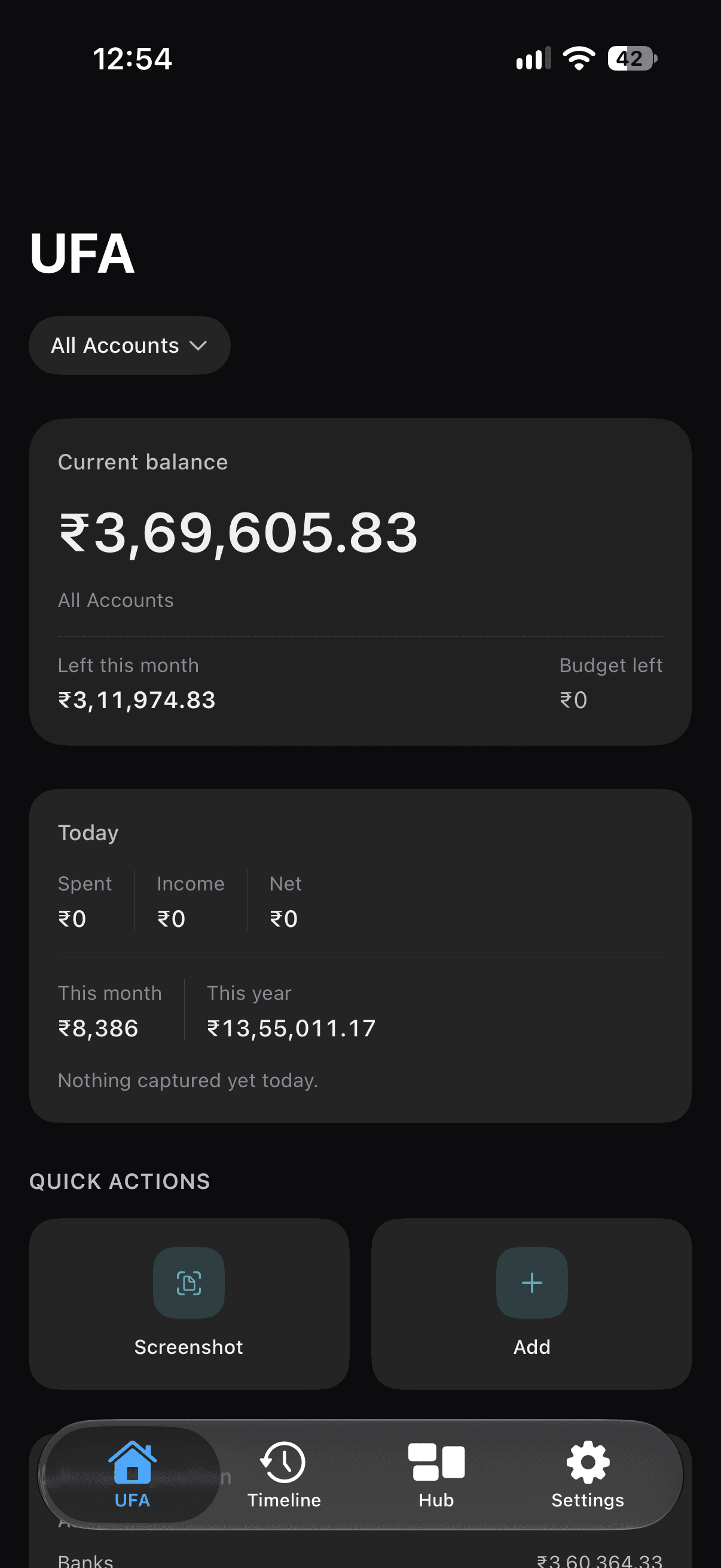
Screenshot to transaction
Turn payment screenshots into transactions.
The payment confirmation you already have becomes a clear, lasting record — in a few taps.
Payment screenshot
Add a UPI confirmation or receipt from Photos, or share it to UFA.
Transaction details
UFA reads the screenshot on your iPhone and fills in merchant, amount, date and category.
Confirmation
Review every field and correct anything before it’s saved. Nothing is saved without you.
Saved to memory
The transaction joins your timeline, searchable whenever you need it.
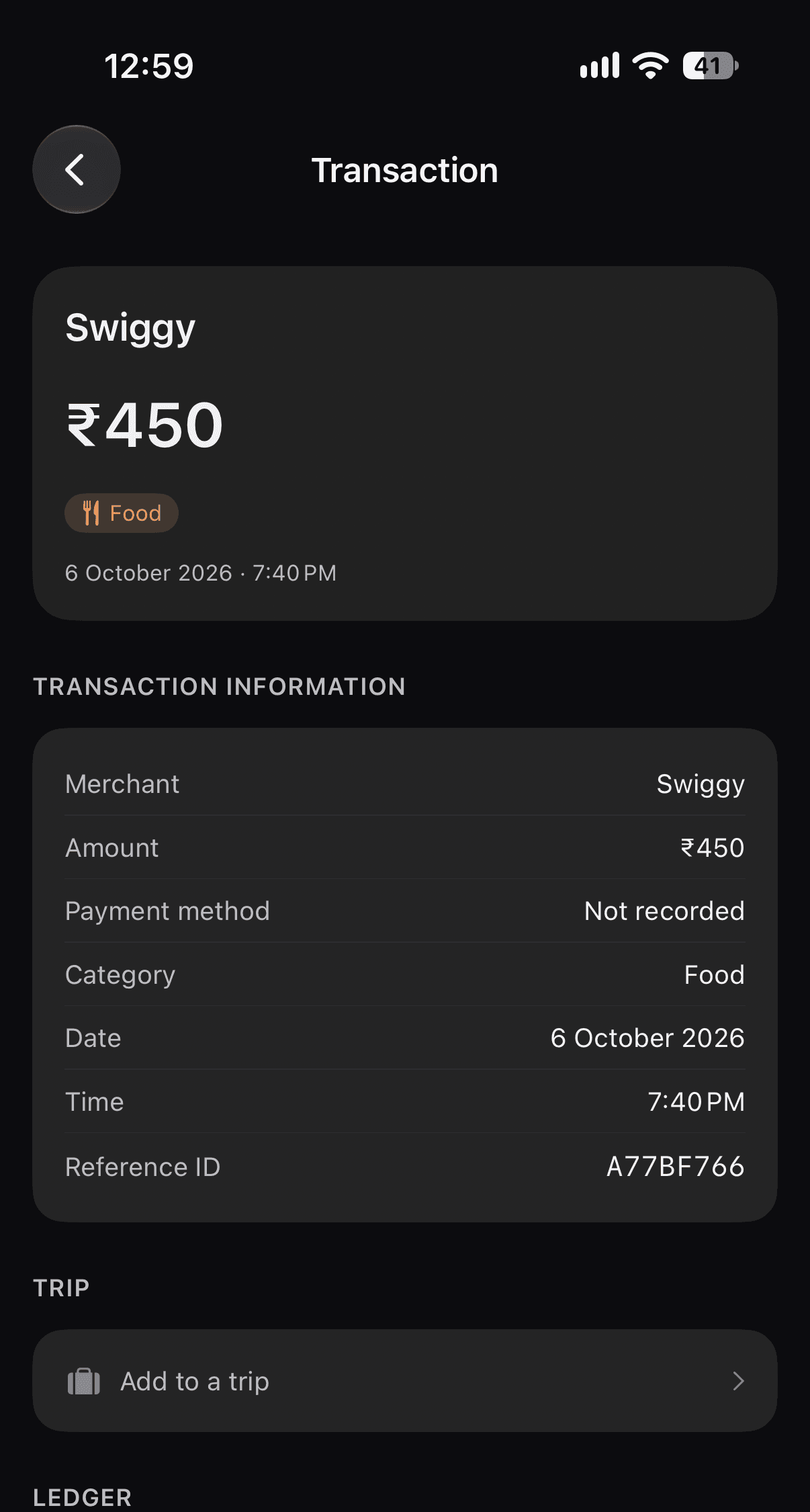
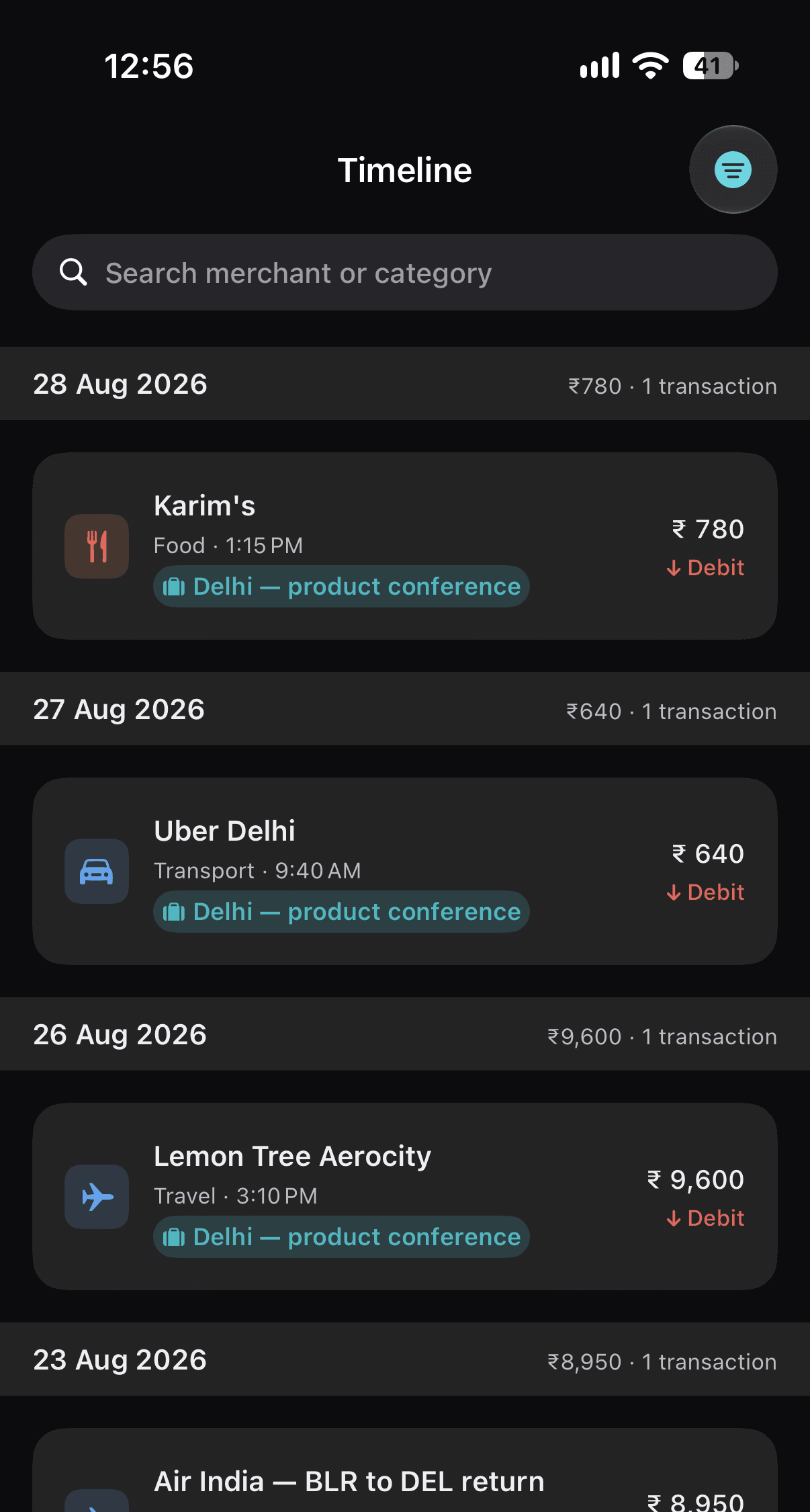
Timeline
Your financial history, organized.
Every transaction in one chronological history, grouped by day with a daily total.
- Search by merchant or category.
- Filter to find exactly what you’re looking for.
- Categories, accounts and trips keep everything in its place.
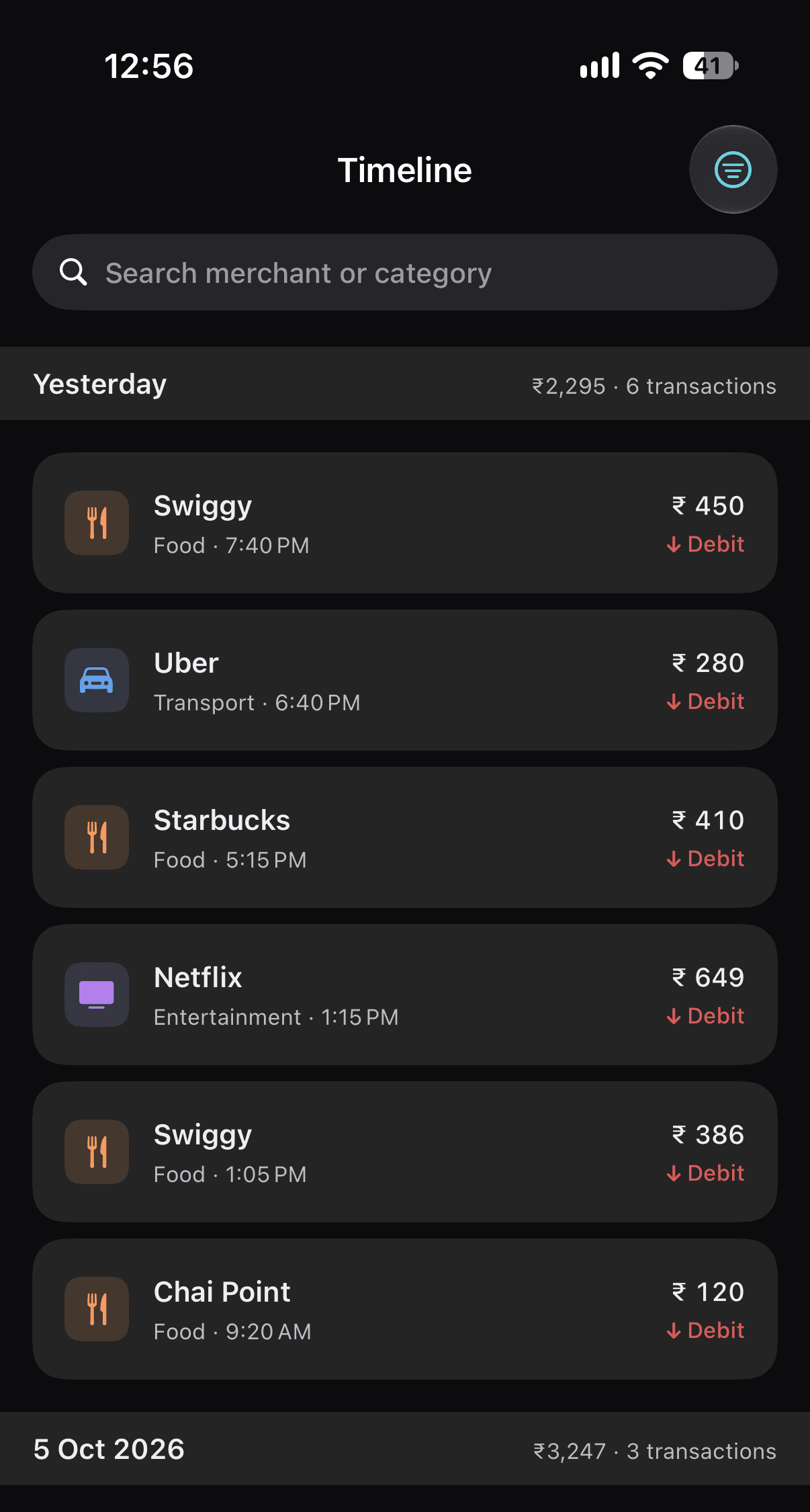
Hub
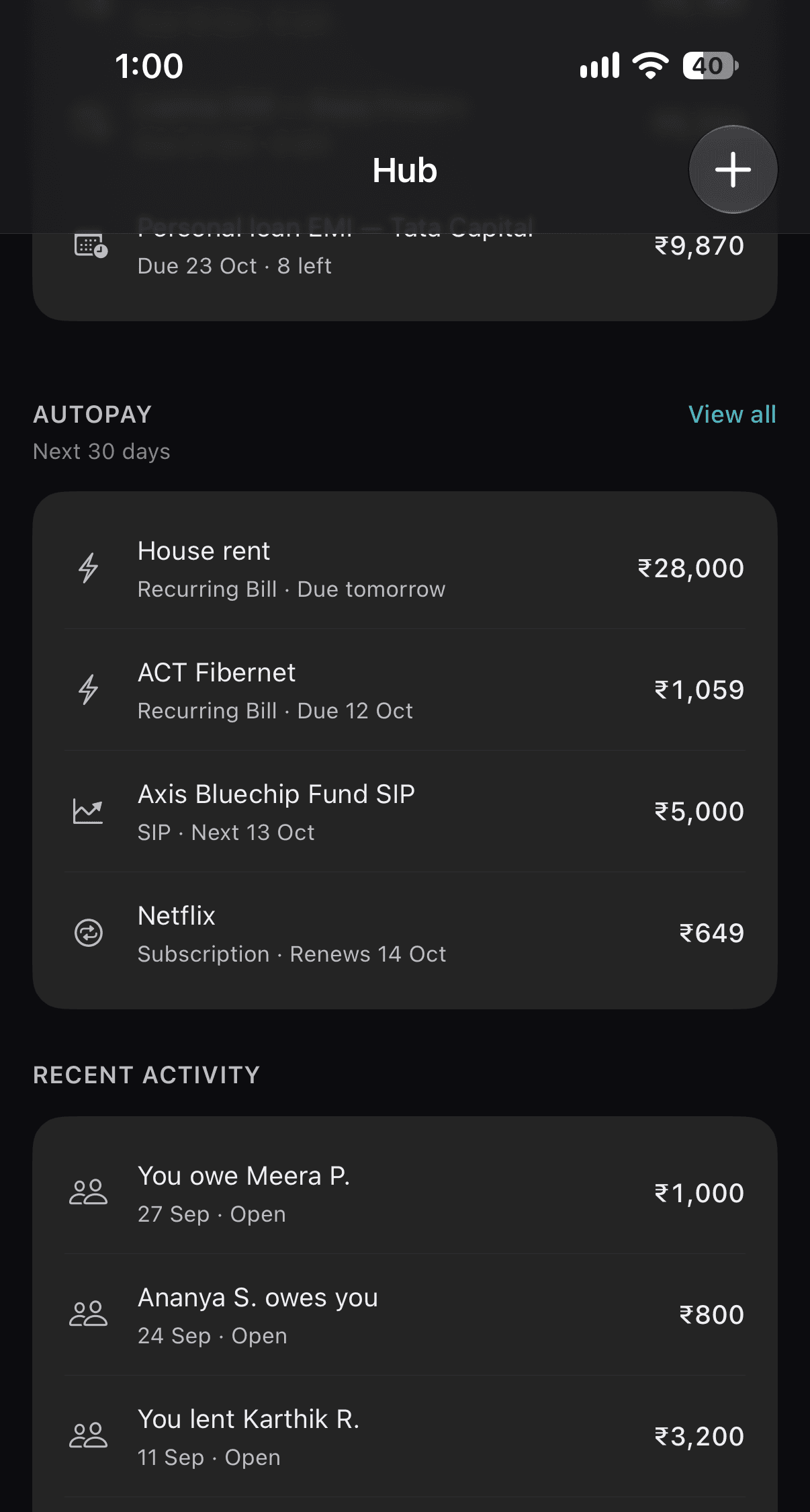
Keep track of what you owe and what’s owed to you.
Hub brings money between you and the people in your life into one calm overview.
- You Owe
- Amounts you’ve borrowed or still need to pay back.
- They Owe You
- Money you’ve lent or covered for someone.
- Outstanding
- Open balances with their due dates, at a glance.
- Payments and settlements
- Record repayments as they happen, and see what’s settled.
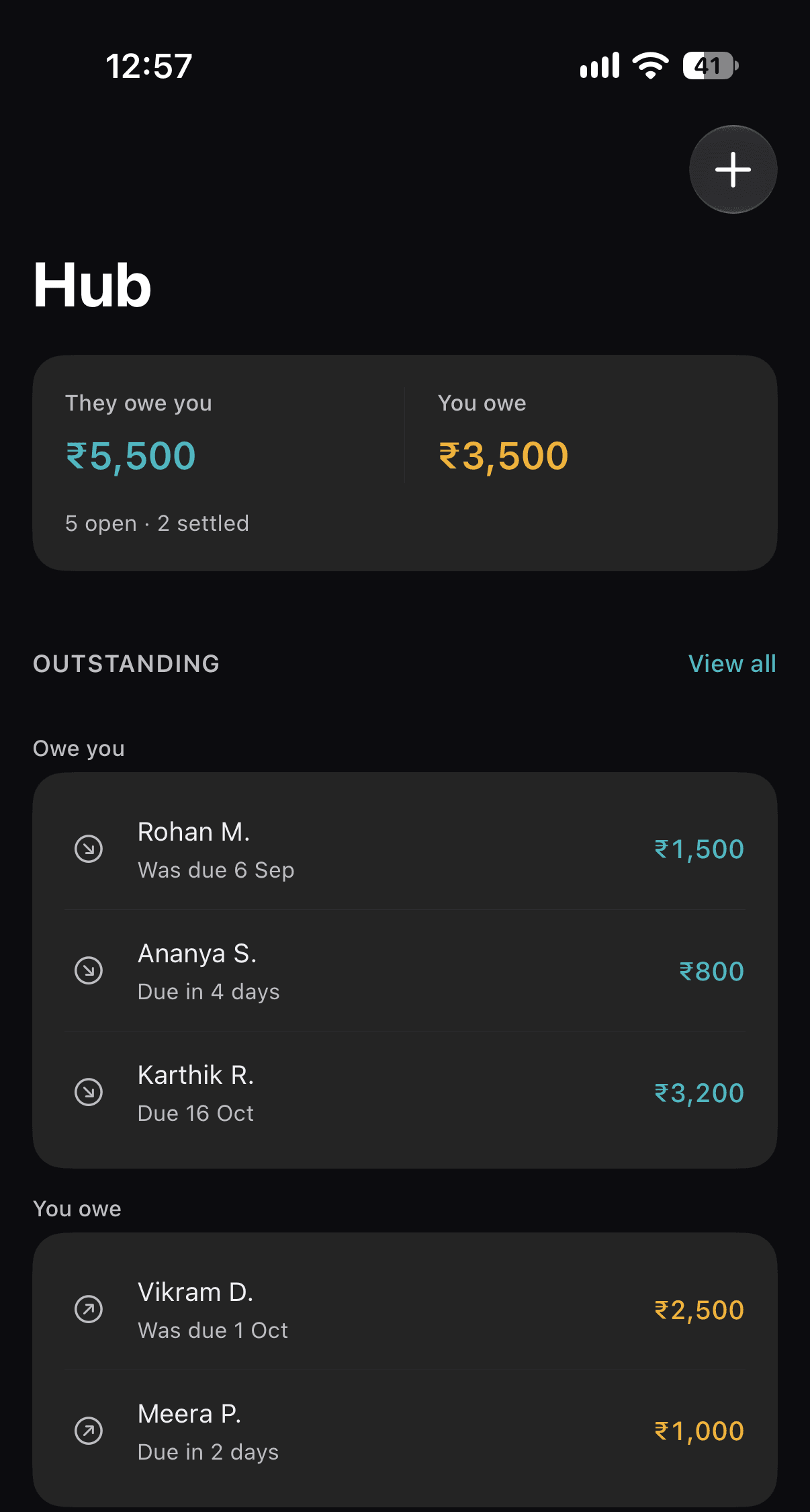
Payment Proof
Keep payment proof when you need it.
You can choose to keep the original payment screenshot with a transaction — useful for a refund, a shared bill or a dispute.
Your choice
Off by default. Keep a screenshot only for the transactions that matter.
Stays on this iPhone
Kept screenshots are stored in UFA’s private storage and are not synced to iCloud.
Removed with the transaction
Permanently delete the transaction, and its payment proof goes with it.
Payment Proof is the screenshot you chose to keep. UFA does not verify that a screenshot is genuine.
AutoPay
Stay ahead of upcoming payments.
Add the payments that come around every month, and see what’s due before it’s due.
- Recurring bills and subscriptions.
- EMIs, with the instalments left.
- Upcoming payments for the next 30 days, in date order.
Trips
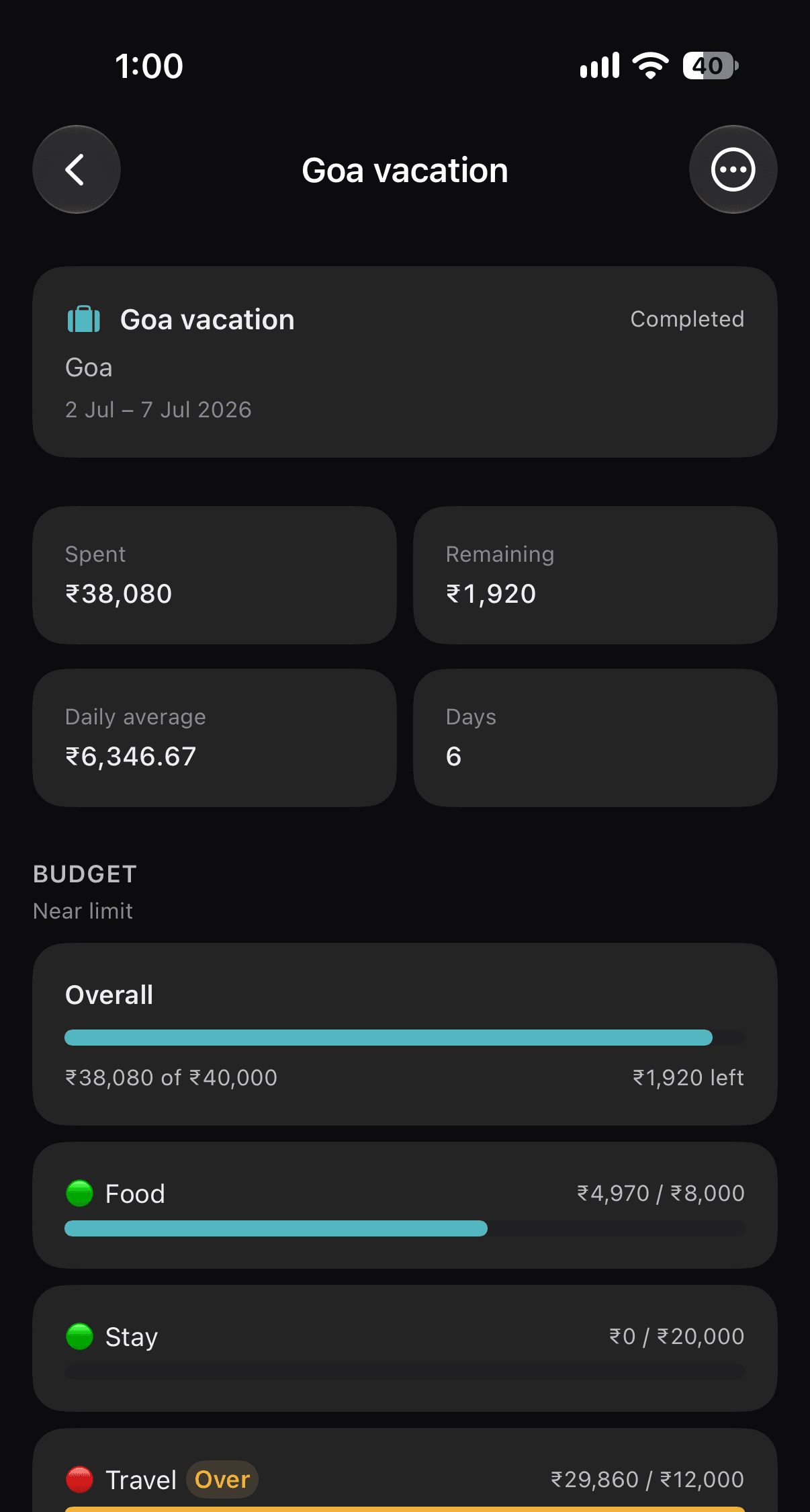
Keep every trip and its spending together.
Create a trip, add its transactions, and see where the money went — from flights and stays to the last meal out.
- Total spent, remaining and daily average.
- An optional trip budget, by category.
- Trip tags right in your Timeline.
Privacy
Private by design.
Financial memory is personal. UFA is built so that it stays yours.
Stored on your iPhone
Your transactions, accounts and records live in UFA’s private storage on your device, protected by iOS data protection.
Read on your iPhone
Screenshots are read with Apple’s on-device text recognition. The image and its text are not sent anywhere.
Face ID and App Lock
Optionally require Face ID before UFA shows anything, with a privacy screen in the app switcher.
You choose what to keep
Screenshots are not kept by default. Keep one as payment proof only when you decide to.
No accounts. No analytics.
There is no UFA sign-up, no advertising, and no tracking or analytics SDKs in the app.
No bank logins
UFA never asks for your bank credentials and never connects to your bank accounts.
iCloud
Your financial memory across your Apple devices.
Turn on iCloud Sync and UFA keeps your records the same on the Apple devices signed in to your Apple Account — stored in your own private iCloud database. It’s optional and off until you turn it on.
What syncs
- Transactions
- Accounts and cards
- Hub people and records
- AutoPay and EMIs
- Trips, budgets and goals
- Your category choices
What stays on this device
- Screenshots, including payment proof
- Passwords and Keychain items
- Face ID and App Lock settings
- The recycle bin
Remember every rupee.
UFA for iPhone.